This game has flashing lights, lightning and quickly changing patterns.
If you feel dizzy, see changes in your vision, twitch or feel confused, stop playing
and see a doctor.
You can tone down lights, flashes and lightning in Settings › Photosensitive mode.
Tap to continuePress any key to continue
PARTY JAM HERO
FIND YOUR RHYTHM & ROCK THE STAGE!
CLICK TO STARTCLICK TO START
Developed By - SleepNotIncluded on Twitch
PARTY JAM HERO
Developed By - SleepNotIncluded on Twitch
Play TestJump into any track at any difficulty. Developer testing only.
PARTY JAM HERO
Preview
Style
BPM
Length
First time here? Learn to play in 30 seconds.
Play the tutorial
Not now
PlayEnter
Now loading
Try again
Cancel
Paused
ResumeEscRestartSettingsQuit to setlist
Results
S
0%
Accuracy
Score
0
Max combo
0
Hits
Perfect0
Great0
Good0
Miss0
Stray taps0Holds0
Timing
Early0Late
Song Previews
See ranking
Continue
RetryNext songSetlist
Top 5 Jammers
Song Previews
Play this song
Jam Session
Try again
Up to 4 people on the same song, at the same time. Most points wins.
Create a Jam SessionYou send them the link or the code
Room code
Scan to Join
Copy invite linkHide QR CodeNew Room Code
EXIT JAM SESSIONStart
EXIT JAM SESSIONPlay again
GAME OVER
The crowd booed you off the stage.
One more chance
Watch an ad and pick up where you stopped.
RetrySetlist
Change difficulty
Only songs played to the end count for the ranking.
BEATMAP EDITOR
Exit
Create New Song
DeleteSwitch to Chart Recorder
Chart Recorder
Back to Song Creator
Select a song and difficulty, then press Start Recording. The song will play. Tap your 4 gameplay keys (F1-F4 or ASKL) to the rhythm. When the song ends, your inputs will be saved to the chart JSON.
Start RecordingStop & Save
How to Play
Welcome to PARTY JAM HERO!
Create a Room: Click on the "Online" card on the home screen to create a new game lobby.
Invite Players: A QR code and a room code will appear on the screen. Players can scan the QR code with their mobile devices or go to the link and type the room code to join.
Select a Song: As the host, choose a song from the list and select the difficulty.
Start the Game: Once everyone is ready in the lobby, press the "Start" button! You will spectate the game on this screen while players use their devices to play.
Note: The host device is for displaying the game and judgments for everyone to watch. The players' scores and combos will be tracked on their own devices.
Settings
Audio
Gameplay
Video
Controls
−5+5
Test
Calibrate
Reset
Raise it if notes feel early compared to the music (common with Bluetooth).
Removes flashes, lightning, lights that pulse with the beat and the OVERDRIVE light
show. Hits still show, gently.
Too much on screen? Set Video › Effects to Low for a quieter highway.
LowMediumHigh
Low takes the lightning, banners and flashes off the highway. Pick it if the show
gets in the way.
60120Max
60 is smooth on any screen. Higher rates work your graphics card harder.
AutoFull
Auto lowers the resolution only when frames drop.
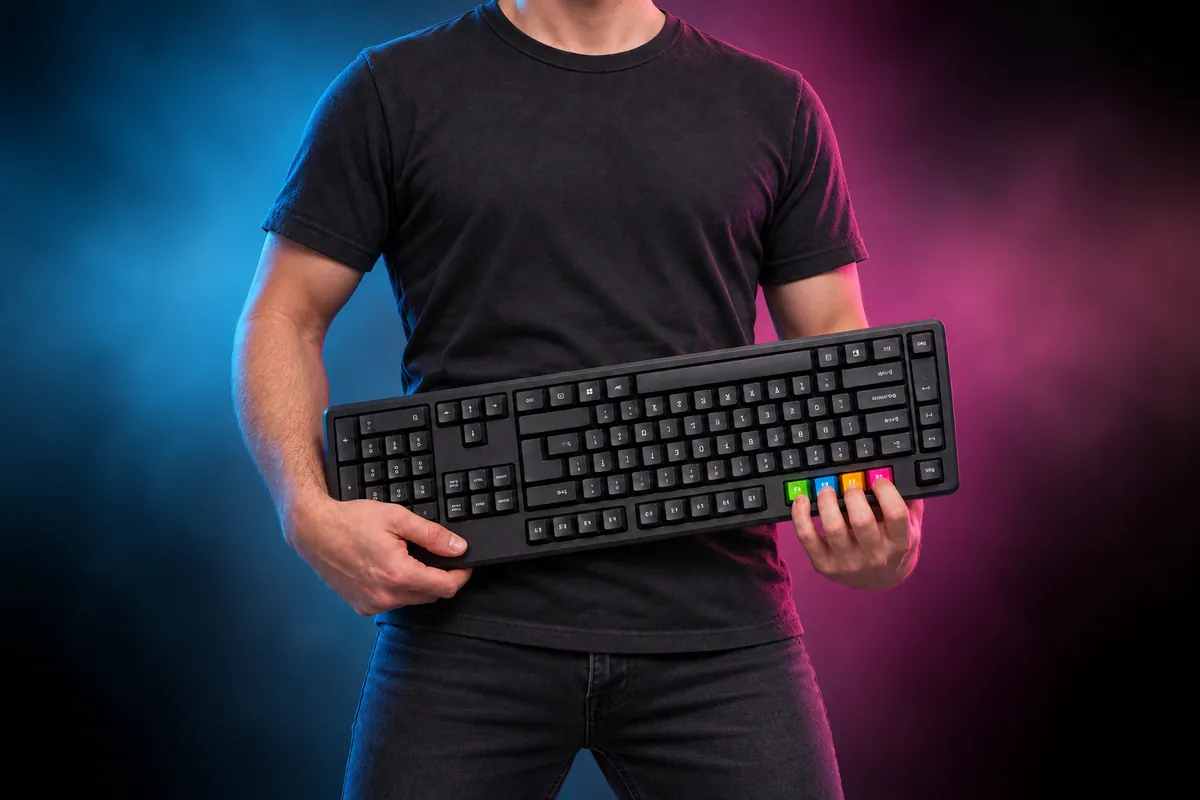
KeyboardController
Keyboard guitarF1F2F3F4
Flip the keyboard upside down and hold it like a guitar: F1, F2, F3 and F4 become
your frets.
Use F1–F4
Default keys
Click a lane, then press any key. F1–F4 work too. Esc cancels.
Bend a long note while holding it: tap or hold Space or Shift.
Bend a long note while holding it: move either analog stick.
Default buttons
Calibrate audio
You will hear 16 clicks. Tap any lane (or press any key) exactly on each click.